Big Daddy Game for iOS iPhone Access and App Guide
Looking for Big Daddy Game on your iPhone? Start by checking what the download page actually offers. An Android APK, a website shortcut and an iOS app are different things, even if they use the same logo.
We have not independently verified a native Big Daddy Game iOS app or a compatible mobile website for a specific operator. This guide explains the access options you may encounter and the checks to make before entering account details.
Is There a Big Daddy Game iOS App?
A verified iOS release has not been established for this guide. That does not prove no app exists, but it means we cannot recommend a specific iPhone download.
The same applies to BDG Game iOS and BDG Win Game iPhone download claims.
If you find an app listing, compare the developer details, support information and privacy policy with the operator you intended to use. A matching name is not enough.
Big Daddy, BDG Game and BDG Win branding appears across different websites. Our Big Daddy Game overview explains why accounts and apps should not be assumed to belong to one service.
Can You Install a Big Daddy Game APK on iPhone?
No. APK files are Android packages and do not install as iOS apps. Saving the file in the iPhone Files app does not change that.
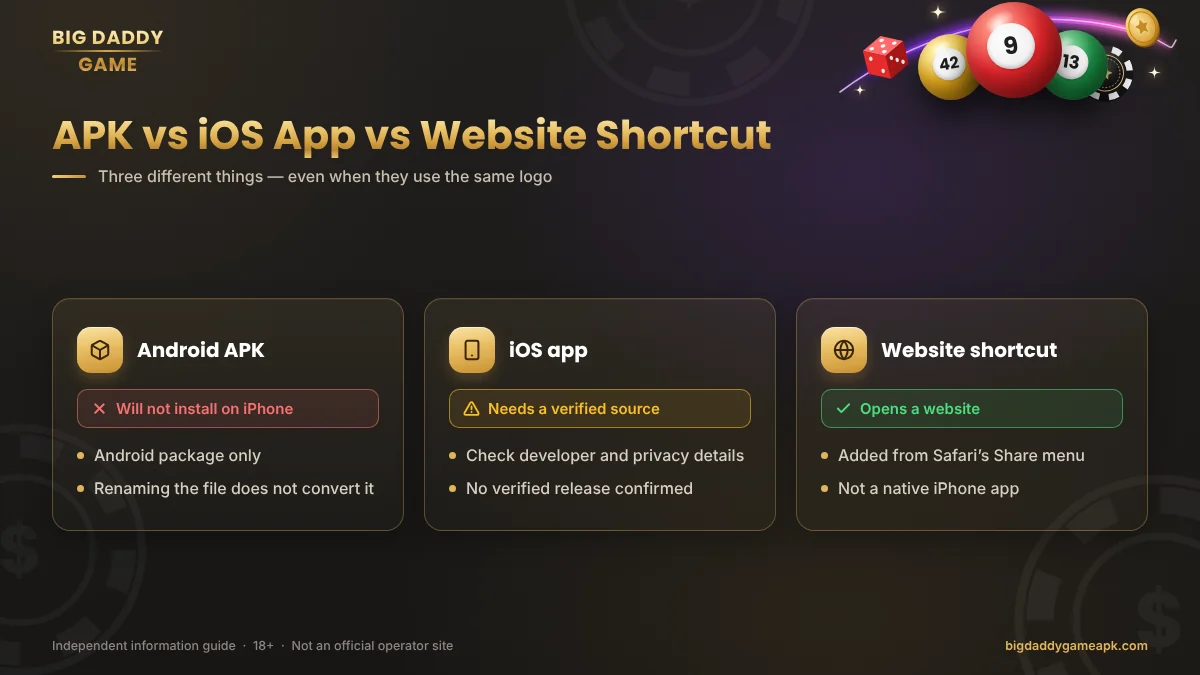
Renaming the extension or using a supposed “APK converter” is not a dependable way to obtain a genuine iOS version.
If you use an Android device as well, the Big Daddy Game download guide covers APK source and installation checks.
Browser Access on iPhone
A service may offer a mobile website instead of a native iPhone app. Browser access must be checked separately; an Android download page does not establish that the service works in Safari.
If you have identified a legitimate, permitted service with browser support, check the address before signing in. Review whether the pages display correctly and whether account controls are usable.
A page loading successfully does not prove that every feature works. It also does not establish operator reliability or permission to use the service where you live.
For readers in India: Government guidance prohibits online money games and related payment facilitation. iPhone access does not change those restrictions.
Adding a Website to Your Home Screen
For a verified website that you are permitted to use, Safari provides a Home Screen option, described in Apple’s iPhone User Guide. These are general iPhone instructions, not confirmation that a particular Big Daddy service supports every web-app feature.
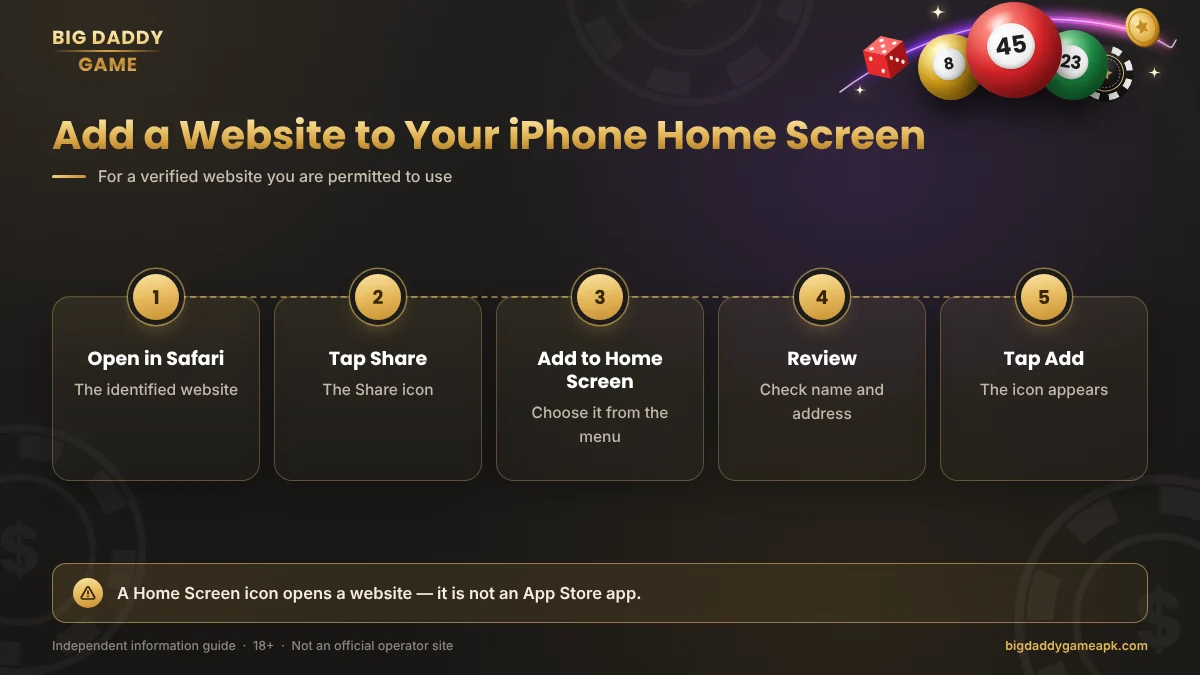
- Open the identified website in Safari.
- Open the Share menu.
- Choose Add to Home Screen.
- Review the name and address.
- Tap Add.
Depending on your iOS version, an Open as Web App option may also appear. Menu placement can vary.
The resulting icon opens the website. It is not proof of an App Store release, an offline game or a separate iOS application.
Logging In from an iPhone
Use the same identified service where you registered. A similarly named website should not be assumed to accept your existing account.
Check any saved login information before submitting it. Autofill may contain an old password or details associated with another page.
The Big Daddy Game login guide explains account recovery, OTP questions and common errors. Do not register again merely because a page fails to load on your phone.
Common iPhone Access Problems
| Problem | What to check |
|---|---|
| An APK will not open | It is an Android file, not an iPhone app |
| Website keeps loading | Connection, the exact address and any service notice |
| Home Screen icon opens an error | Whether the saved address still matches the identified website |
| Login details are rejected | Registered account details and saved credentials |
| A profile-install prompt appears | What the profile does and who is asking you to install it |
If a page fails, try reloading it and checking whether other websites work. Do not immediately switch to a replacement domain sent by a stranger.
Clearing browser data can sign you out and remove useful saved information. Check your recovery options before doing so.
Be Careful with Profiles and Unexpected Downloads
An ordinary Safari Home Screen shortcut does not require installing a configuration profile.
Configuration profiles can apply settings to an iPhone. Do not treat a request to install one as a routine download step. Establish who provides it, what it changes and why it is needed.
Never share your Apple Account password, device passcode, OTP or payment PIN with someone offering setup help. Avoid instructions to disable security protections merely to make an unknown download work.
What to Expect from iPhone Access
If a verified browser version exists, it may avoid the need to install a separate application. However, its functions and performance still need checking on your device.
We have not tested a specific Big Daddy Game service on iPhone. Offline play, notifications, background activity and compatibility with particular iOS versions are therefore unconfirmed.
Do not rely on claims that an iPhone version guarantees smoother play, better results or faster payments.
Frequently Asked Questions
Can I Download Big Daddy Game from the App Store?
This guide has not verified a matching App Store release from an identified operator. Check the developer rather than relying on the app name alone.
Will the Android APK Work on iOS?
No. An APK cannot be installed as an iOS application.
Is a Home Screen Icon the Same as an iPhone App?
No. It may simply open a website. The icon does not establish that a native app was installed.
Does Browser Access Use My Existing Account?
Only if it belongs to the same service and supports that account. Similar branding does not confirm shared access.
Do I Need a Configuration Profile?
A normal Safari Home Screen shortcut does not require one. Investigate any separate profile request before accepting it.
Can I Use It Offline?
Offline support has not been verified. Adding a website icon does not automatically make its content available without a connection.
Final iPhone Access Check
For Big Daddy Game on iOS, identify the publisher or website before choosing an access method. Keep Android files, browser shortcuts and native iPhone apps separate.
Where availability or compatibility remains unclear, do not fill the gap with an unknown download. Check the source, protect your account details and follow the restrictions that apply where you live.
Play responsibly — or choose not to play
Real-money games can cause financial loss. No prediction, code or bonus guarantees a win. Never borrow to play or chase losses.