
Big Daddy Game for PC Windows Access and Setup Guide
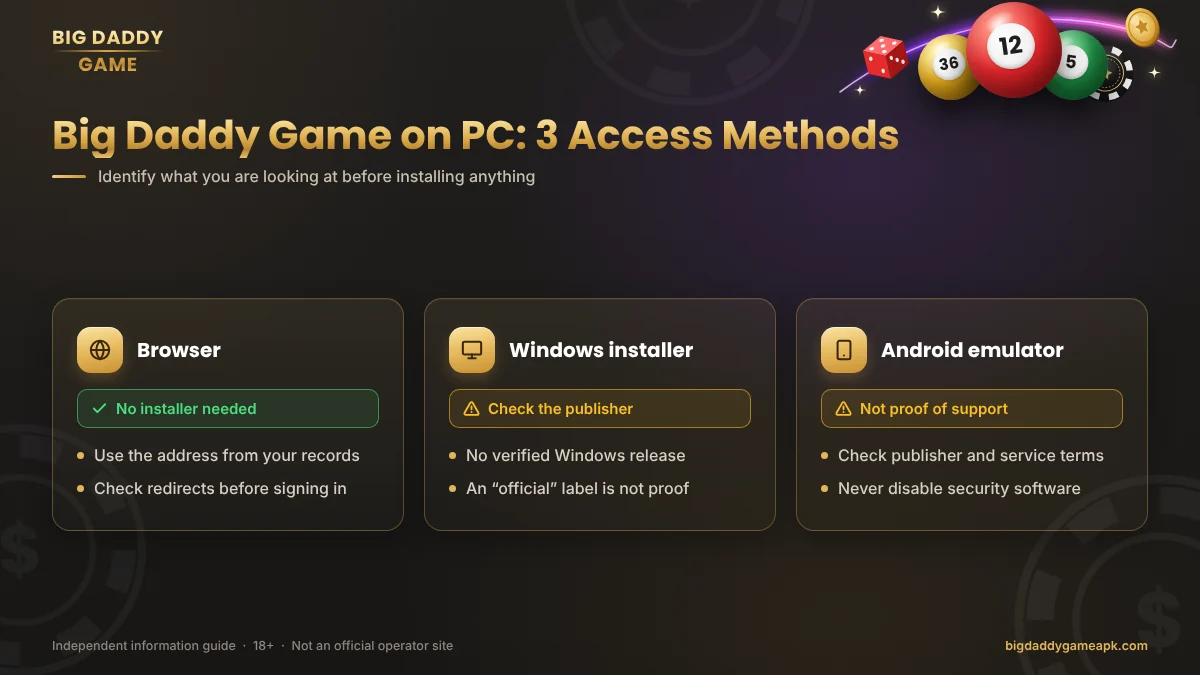
Searching for Big Daddy Game for PC can lead to browser links, Android APK files and pages advertising a Windows download. These are different access methods. A file working on Android does not establish that the publisher offers a PC version.
We have not independently verified a native Windows application, a supported emulator setup or desktop-browser compatibility for a specific Big Daddy Game operator. This guide explains what to check before choosing an access method and how to approach common problems.
Is There a Big Daddy Game Windows App?
A verified native Windows release has not been established for this guide. That does not prove no release exists, but it means we cannot recommend a particular installer.
The same applies to BDG Game PC and BDG Win Game Windows download claims.
Before opening an EXE or MSI file, check the publisher, source and support information. A filename such as “Big Daddy Game PC” does not tell you who created it.
The same applies to BDG Game and BDG Win branding. Similar names do not confirm shared ownership, accounts or software. Our Big Daddy Game (BDG Game) overview explains this distinction.
Browser Access on a Computer
A desktop website, where available and permitted, may provide access without a separate installer. It still needs to be identified and checked.
Use the address associated with your original account records. If a link redirects to a different domain, investigate that destination before entering your details.
Check whether the site displays properly, whether its account controls work and whether it publishes any browser requirements. A homepage loading does not establish that all features are supported.
A bigger screen may make text easier to read, but it does not change game outcomes or guarantee faster payments.
Can You Install the Android APK Directly on Windows?
An APK is an Android package. It does not install as a normal Windows program simply by opening or renaming it.
Some PC guides suggest Android emulators, which provide an environment for running Android software. That suggestion alone is not evidence that the particular app works correctly or that its operator permits emulator access.
The Big Daddy Game download guide covers Android file checks. It should not be treated as a confirmed Windows installation guide.
What About Using an Emulator?
Before considering an emulator, check both the emulator’s requirements and the identified app publisher’s guidance. Do not assume that a successful installation means account access, updates and other features will work.
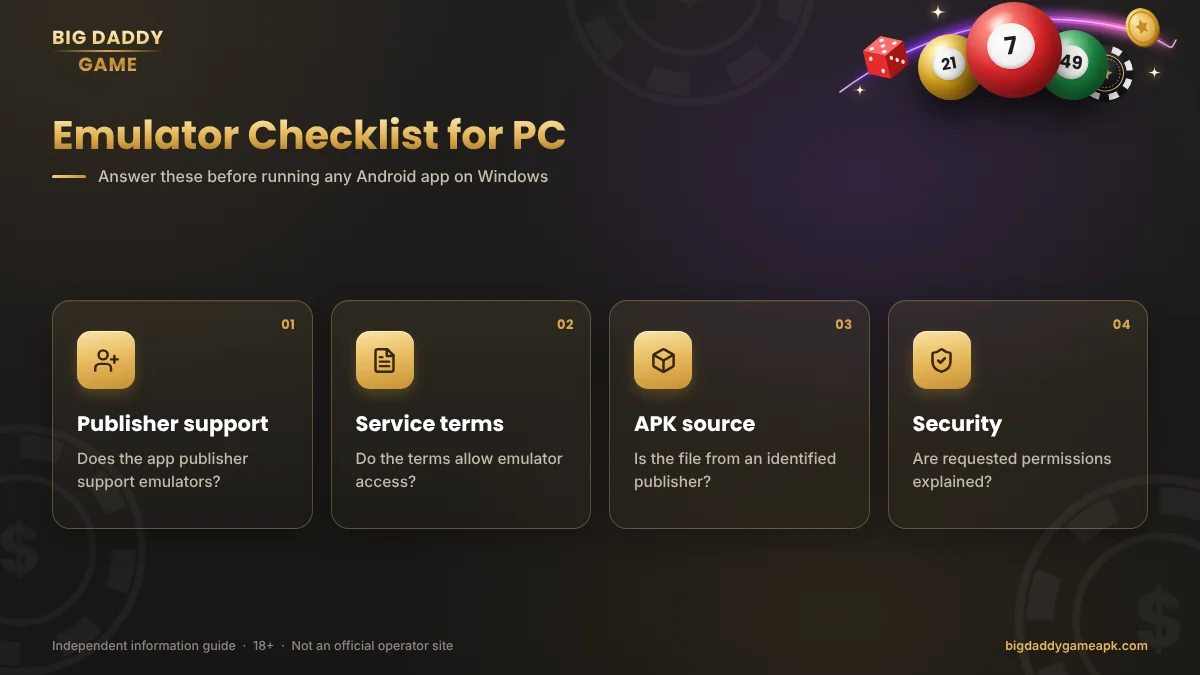
Important questions include:
- Does the app publisher support this setup?
- Do the service’s terms allow emulator access?
- Is the APK from an identified publisher source?
- Does your computer meet the emulator’s requirements?
- Are any requested permissions or security changes explained?
We have not tested an emulator configuration for this service. No RAM, storage, processor or Windows-version requirement is presented as confirmed.
Avoid a setup guide that asks you to disable security software, install a modified APK or use a “winning hack.”
Logging In from a PC
Use the same identified service where you registered. A desktop page with a familiar logo may still be unrelated to your original account.
Check the account identifier and review any autofilled credentials. If the service requests verification, use only a code you initiated through its verified page.
For a forgotten password or rejected credentials, read the Big Daddy Game login guide. Creating another account is not the same as recovering the existing one.
On a Shared Computer
Do not save your password on a public or shared PC. Sign out when finished and check that you have not left receipts or account screenshots in Downloads.
A private browsing window does not make an untrusted computer safe. If you suspect screen recording, remote access or other monitoring, do not enter sensitive information.
Common PC Access Problems
| Problem | What to check first |
|---|---|
| Website will not load | Connection, exact address and any service notice |
| Login keeps failing | Original account details and saved credentials |
| APK will not install directly | Whether you are mistaking an Android file for a Windows app |
| Emulator will not start | Its own compatibility requirements and support guidance |
| Security software flags a file | The warning and publisher source; do not force it to run |
| Page layout is difficult to use | Browser zoom and whether desktop access is supported |
Website Stuck on a Loading Screen
Check whether other websites open normally. If they do, note any error on the affected page and look for a service notice.
Do not jump between unrelated “new login links.” An unavailable page does not establish that a replacement domain is genuine.
Browser Login Will Not Stay Active
Check whether your browser is removing site data or whether an extension is interfering. Change settings only for a site you have identified; do not lower security settings across the browser.
Clearing site data can sign you out. Confirm your recovery details before using it as a troubleshooting step.
An Installer Triggers a Warning
Read the warning before proceeding. Check the file’s origin and publisher instead of assuming that security software is mistaken.
A download being described as “official,” “lightweight” or “latest” is not evidence that it is safe.
Account Balances and Payments on PC
Switching devices does not automatically transfer an account to another service. If a balance looks different, compare the account identifier and transaction records first.
Do not send another payment to test whether a missing balance returns. The deposit guide and withdrawal guide explain how to keep records and investigate existing payment issues.
Access through Windows does not change the financial risks or location restrictions involved in real-money activities.
Frequently Asked Questions
Can I Download Big Daddy Game for Windows?
This guide has not verified a native Windows release from an identified operator. Check the publisher before trusting an installer.
Can I Open the APK as a Windows App?
Not as a normal Windows program. APK files are Android packages, and renaming one does not convert it.
Is an Emulator Required?
That depends on the access method and actual publisher support. A verified browser service would not necessarily require one. Neither browser nor emulator compatibility has been confirmed here.
What Are the Minimum PC Requirements?
No service-specific requirements have been verified. Emulator requirements and app compatibility are separate matters.
Will My Mobile Account Work on PC?
Only if you are accessing the same service and it supports that method. Similar names do not establish shared accounts.
Does PC Access Improve Winning Chances?
No evidence reviewed for this guide supports that claim. A larger display or different input device does not establish a more favourable outcome.
Final PC Access Check
For Big Daddy Game on PC, first identify whether you are looking at a website, a Windows installer or an Android file. Then check publisher information, compatibility and applicable restrictions.
Do not treat an emulator recommendation or a familiar logo as proof of support. Where the source remains unclear, avoid installing extra software or entering account details.
Play responsibly — or choose not to play
Real-money games can cause financial loss. No prediction, code or bonus guarantees a win. Never borrow to play or chase losses.